










Included in the Deluxe Beam Spring First Aid Kits: 12 beam spring modules. Unlike the Model F first aid kits, the Beam Spring First Aid Kits do not include the recommended spare inner foam. Please pick the Round 1 first aid kit for the Ultra Compact B104 or Ultra Compact BSSK, and please pick the Round 2 first aid kit if you have the classic style beam spring keyboards (B62, BSSK, B104, or B122).
Importance of the add-on Deluxe First Aid Beam Spring Kit: The first aid kit that is included with each keyboard is just 4 modules, designed for initial fixing of modules broken in shipping or otherwise damaged. The “real” first aid kit folks pay for in the product add-on has 12 modules. If the modules fail many years from now, it is strongly recommended to have spent the extra $4 per module to have enough modules to last you the life of the keyboard, since modules won’t be available after this project shuts down and ends production. I think I saw some original beam spring modules going for $50 individually since the supply dried up, and I don’t want that to happen with these.
Expectations: In my experience all but 1 or 2 of the beam modules can be adjusted so that they are fully functional without needing replacement. The expectation is that up to 4 beam modules may be replaced with ones from the included first aid kit (of course if more than 4 are non-repairable following the setup video, the limited warranty usually provides for free replacements of these additional modules beyond the first 4; see below for details). You will not receive 4 additional modules by mail if 4 are broken initially or after some usage, for example; those 4 free modules are meant to serve as advance replacements. In other words, you are not guaranteed to receive all of the modules as fully functional and the included mini first aid kit permits you to replace up to 4 damaged modules yourself. If additional modules are broken, you will receive a partial replacement "Part B" that you will have to assemble – you won’t receive a fully assembled module ready to install.


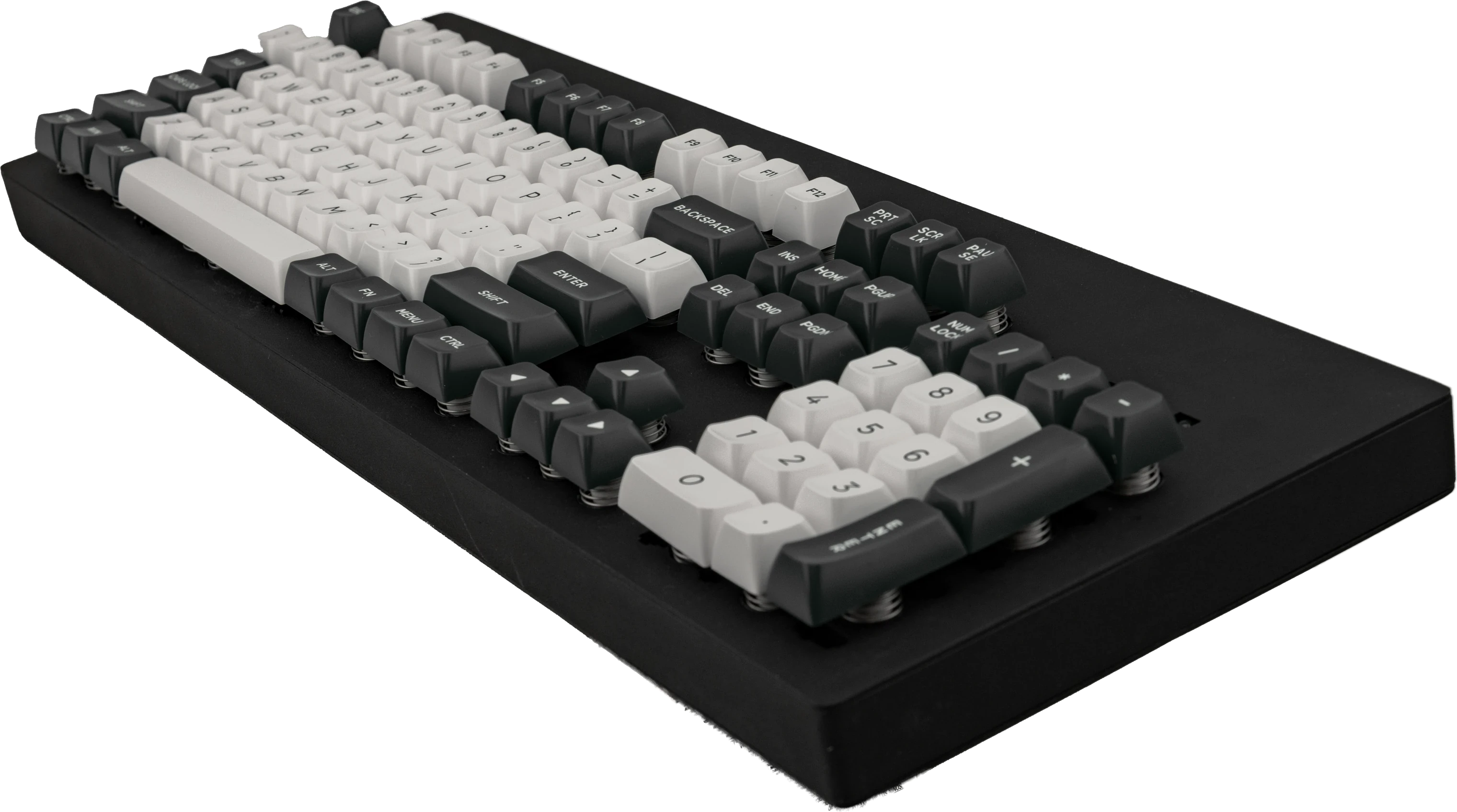
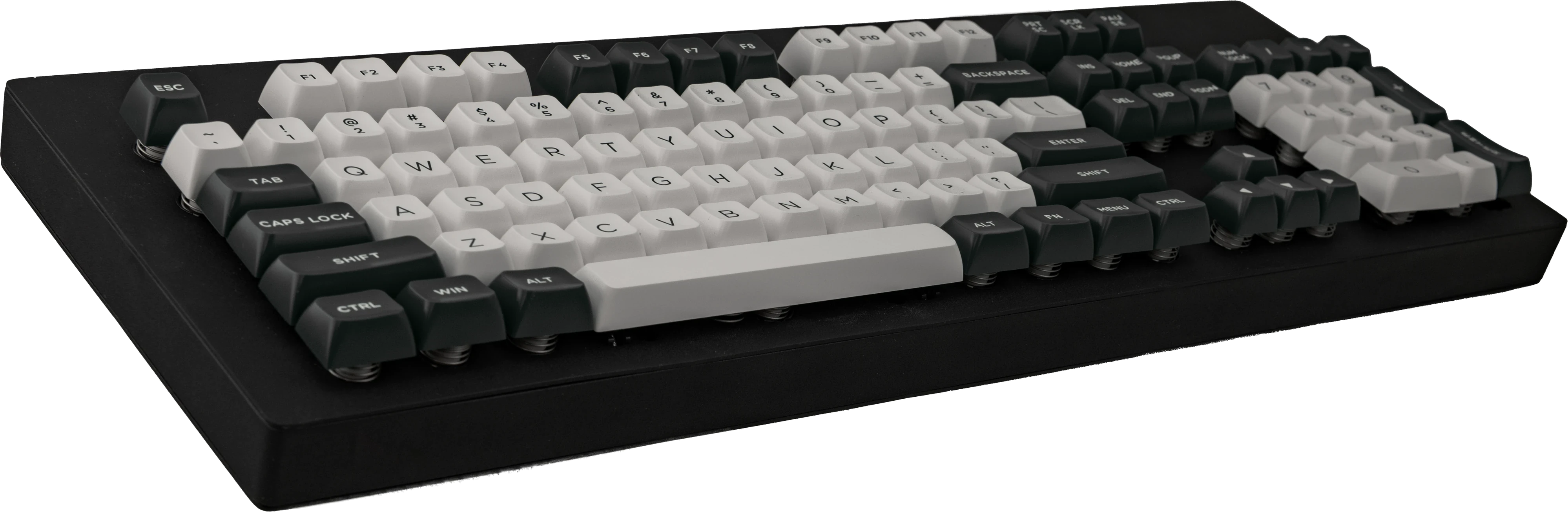

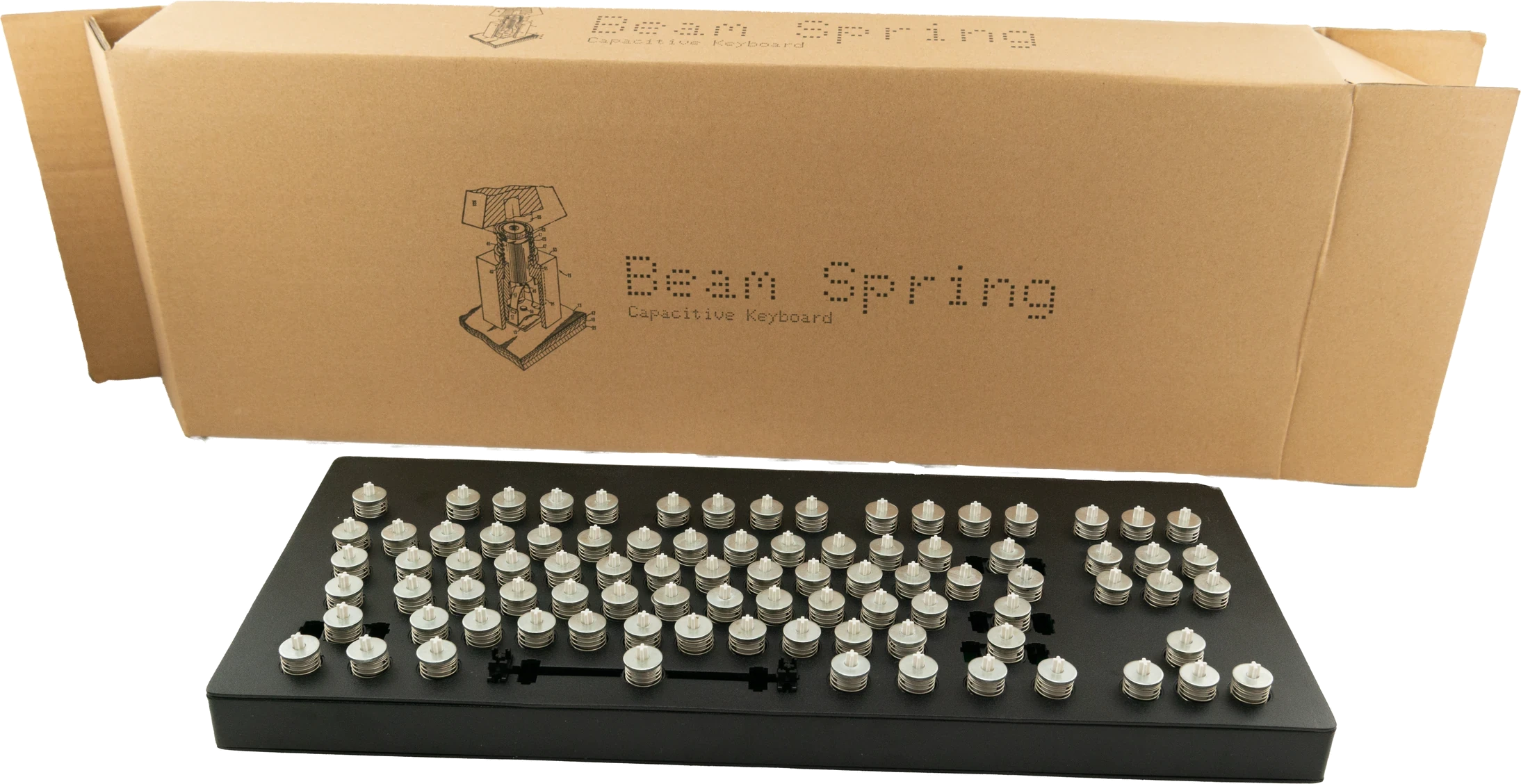
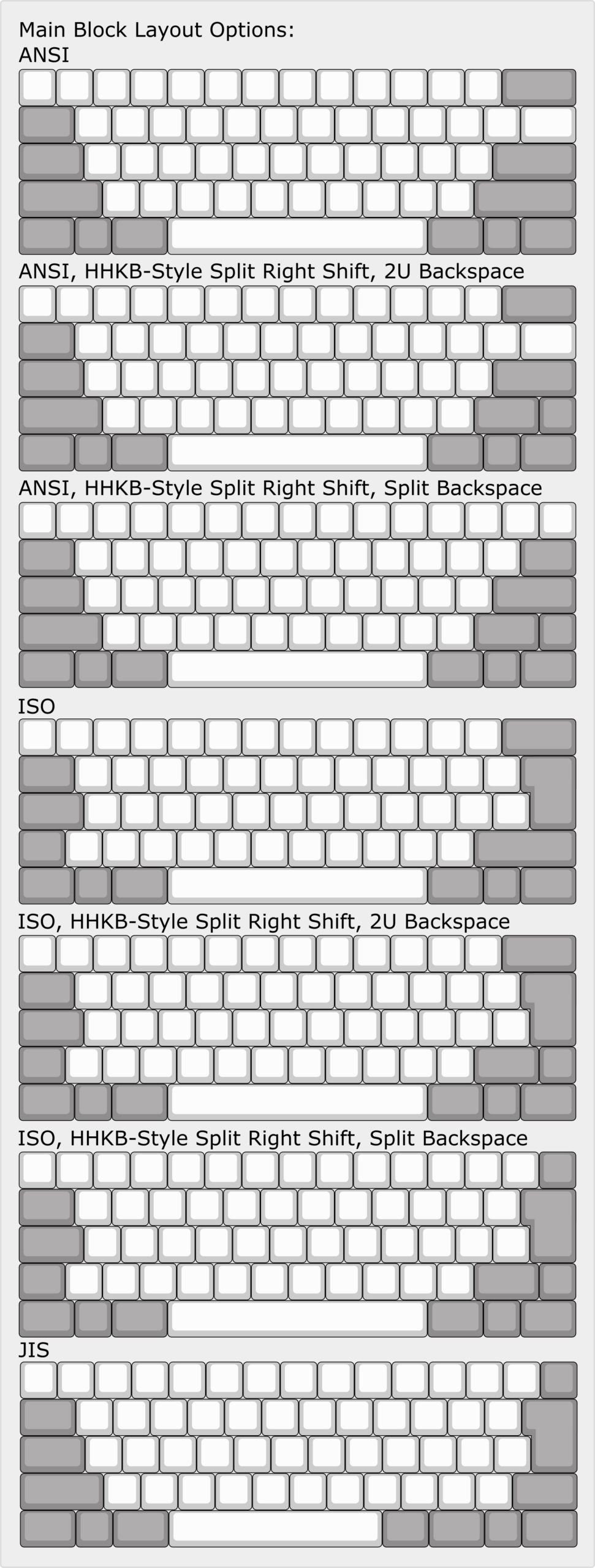
Beam Spring Round 1 B104 Keyboard



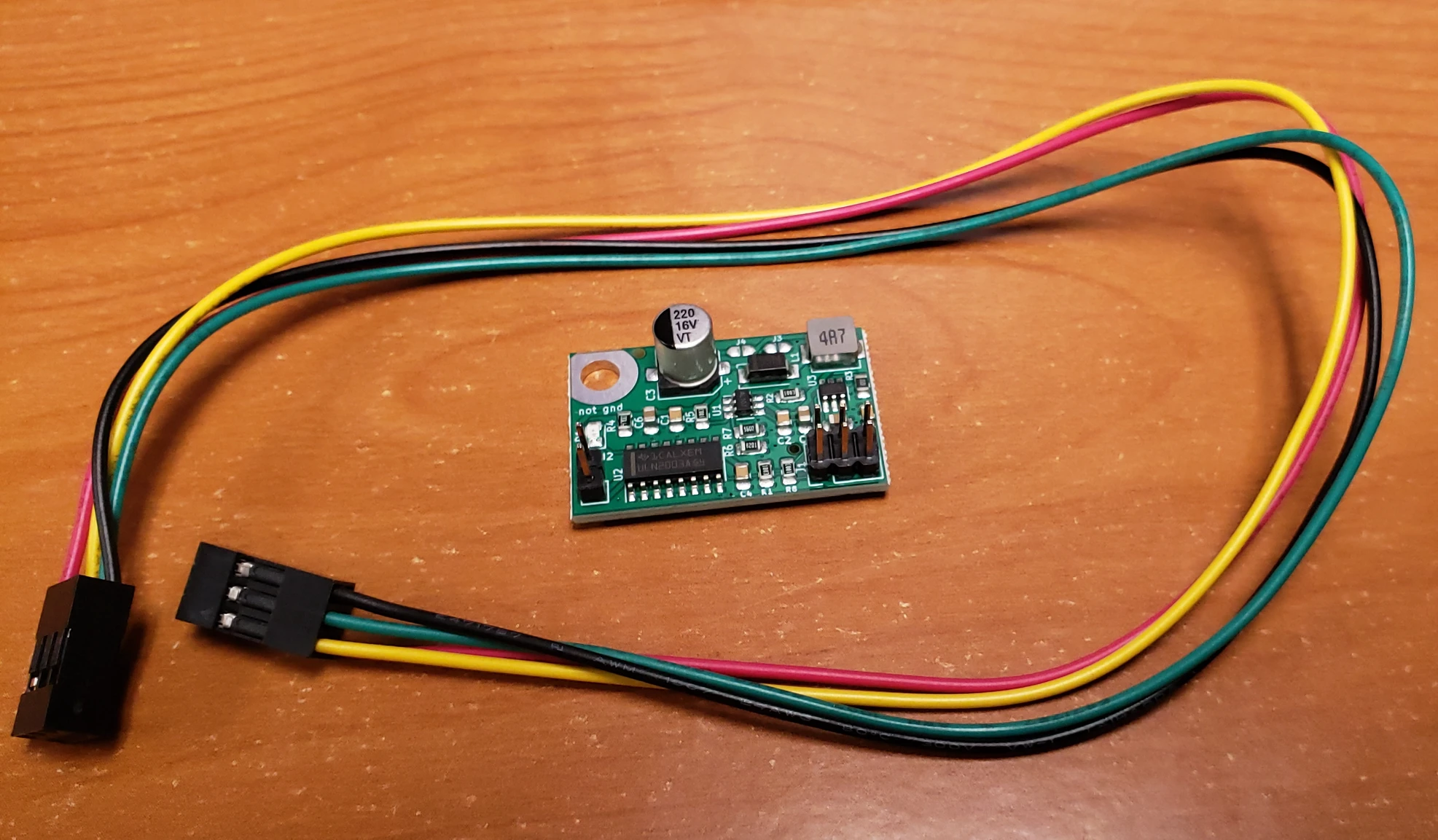
Solenoid driver and solenoid
Enhance tactility through an extra-hefty solenoid: This is an extremely popular add on, with over 1,000 sold so far. A metal plunger strikes the solenoid housing with each keypress to create a powerful typewriter-style thunk, a physical tap you can feel while typing. This optional add-on has adjustable power and can be toggled on and off by key combination. It adds extra clickiness to the keyboard. It is a click that you can feel and hear, for extra feedback when typing each character.
Remember to order both the solenoid driver and the solenoid, which are two separate store items that are not included with any keyboard (when configuring with a keyboard, they are grouped together but you can buy them individually on the solenoid product page).
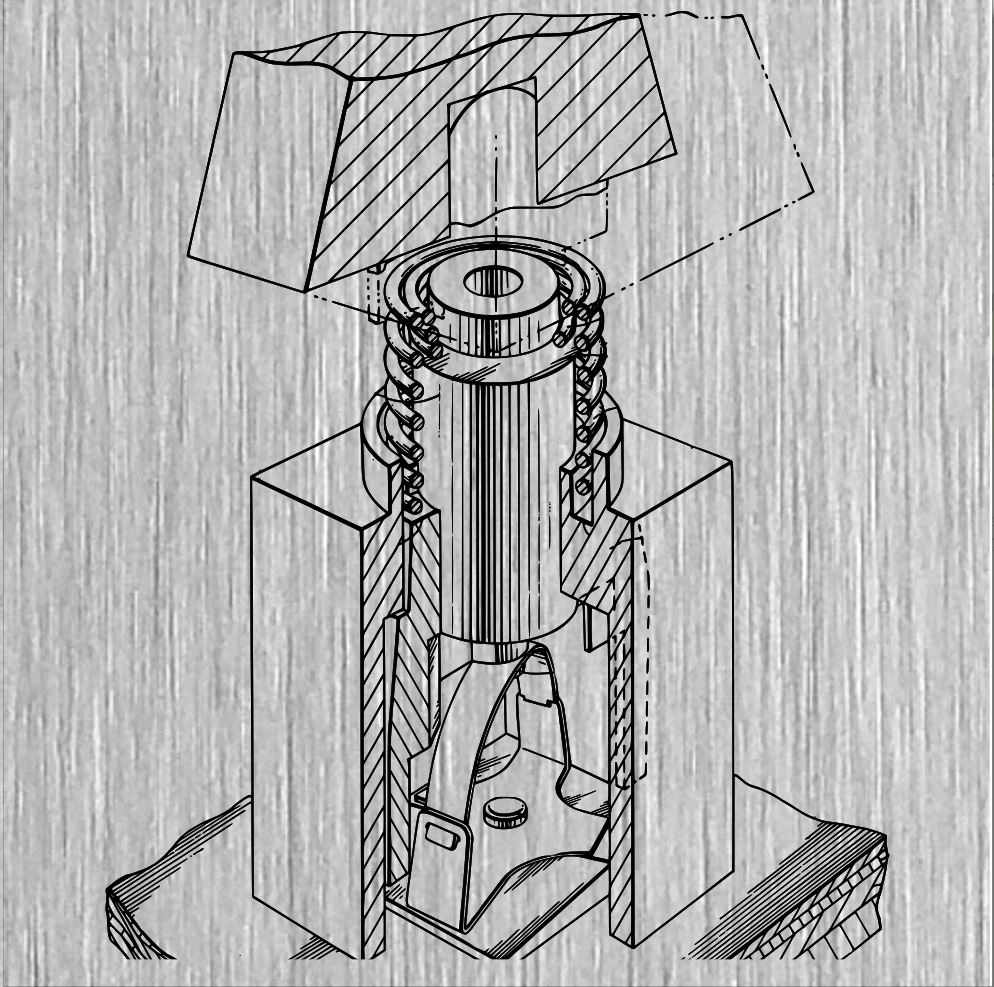
About solenoids: IBM has had a long history with solenoids, dating back at least to the late 1970s with their development of the beam spring keyboard. To increase the tactility of the already-tactile beam spring keyboards and make them more in line with their clicky predecessor the IBM Selectric line of typewriters, IBM added a solenoid to various beam spring and Model F keyboards. A solenoid has a metal cylinder (or plunger) that when the surrounding coil receives a current, it moves that cylinder, which then makes contact with the metal enclosure of the solenoid, and then it springs back to its original position, so you can have an audible click and you can feel the tap of the solenoid with each keypress. That is why solenoids are a great way to have even extra feeling while typing. Most folks probably don’t want the solenoid on all the time which is fine: the firmware has a built-in key combination toggle command so that you can switch on and off the solenoid as needed, without having to unplug anything. These solenoids are also a great option as an upgrade to IBM’s original solenoids too (I’d always save the originals of course for the sake of completeness).
Custom made solenoid specifications: Why pick this solenoid over other solenoids or over IBM’s original solenoids? The new solenoids are far beefier than IBM’s originals, so your solenoid clicking will be even better! It’s a custom design that you can only order here. The specifications are 6v, 40 ohm, 0.15A, 0.9W, adjustable throw factory set to 1mm but with a user-adjustable range of about 0.5mm to 5mm (there are 2 screws that can be loosened to adjust the distance of the strike bar). The factory throw setting allows you to start using this solenoid with no modification (still need to follow xwhatsit’s solenoid installation guide to avoid damage to equipment). This solenoid has the dark blue outer covering, black and white twisted wires and 2.54mm connector like the original IBM solenoids, but with a strike bar so it won’t exactly resemble the IBM solenoid. This solenoid is not the one that’s available on eBay, though it looks similar and the voltage and resistance specs are the same. Also that other model doesn’t have the adjustable throw – you would have to spend time milling the strike bar to modify it for correct usage with the solenoid drivers. If the ebay solenoid’s throw distance isn’t changed, your solenoid will be very sluggish and won’t be able to operate at full typing speed. Also my solenoid is even larger than the eBay solenoid, the 26mm height dimension on eBay is set to be ~29-30mm on my solenoid (the solenoid goes sideways in F62/F77 so it fits) though all the solenoid specs are subject to change. With a larger metal frame, my solenoid should be a little louder than the eBay model and far louder than the original IBM! This is the largest possible solenoid that will fit inside the classic style cases.
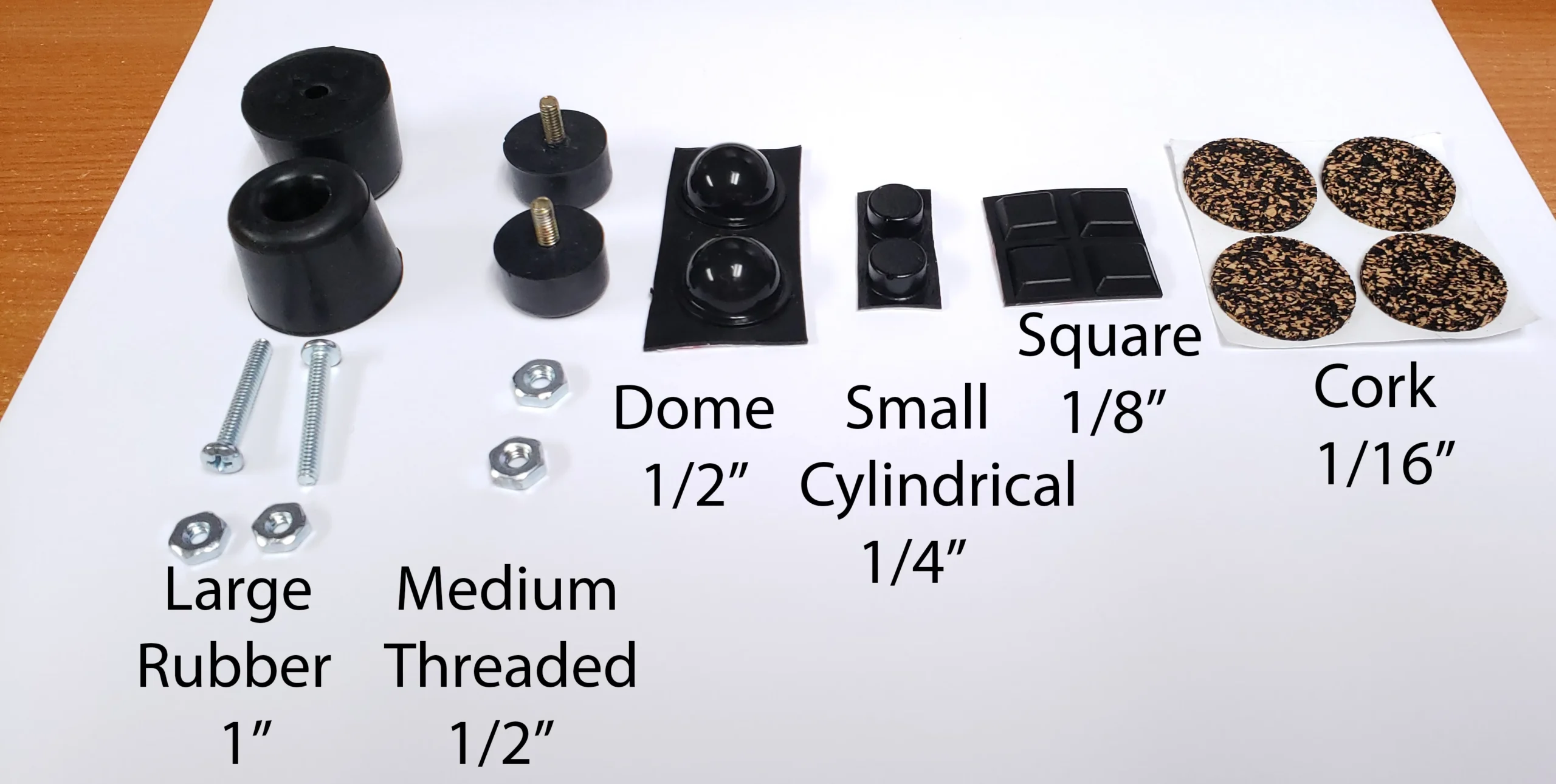
Solenoid drivers help you add a solenoid to your keyboard. You need both a solenoid driver and a solenoid; they are not sold together. The solenoid driver does not include the solenoid but it does include the ribbon cable to connect to your controller. The solenoid would go inside your classic case new classic case keyboard, but it has to be installed outside the compact case keyboards. Controllers are not required for your Brand New Model F or Beam Spring keyboard – they are included and preinstalled. When installing the solenoid, because the screw that secures the solenoid is at the bottom of the keyboard as shown in the manual, order any of the slightly taller bumpers for the back of the keyboard (i.e., any option except the cork bumpers unless you double up and stack two of the cork bumpers, one on top of the other). So if you want to use cork, buy an extra set so it is tall enough – you may want to pick up some additional bumpers so you can add some height to the bumpers, by either putting two cork bumpers on top of each other or using one of the other bumpers which are thicker; otherwise the solenoid screw may contact your desk.
The solenoid driver and solenoid are very easy to install, fully assembled with the components factory soldered. Installation takes a few minutes, by following the step by step guide in the manual, but if you prefer for me to install this, you can order the solenoid driver and solenoid as well as 39 units of the store item $1 increments with an order note for me to install it. Do not forget the order note; if you forget it then I will not know to install the solenoid for you. You do not have to solder to install the solenoid; you are just connecting the plug-in cable on the solenoid driver to the controller, and then plugging in the solenoid cable to the solenoid driver. The only exception is the round 1 Beam Spring B104 keyboard which used an older xwhatsit controller with 30 instead of 33 pins; it did not have those 3 additional pins for LED and solenoid wiring at the same time (see the manual for details).
If you want to reuse your previously received solenoid driver and solenoid with your Round 2 beam spring keyboard, order the beam spring solenoid add-on kit containing additional needed parts. It should be included if your solenoid is shipping with a beam spring keyboard. If ordering a solenoid driver and solenoid in the future to use with your new beam spring keyboard, you can request these parts to be included at no extra cost if you add an order note. For this reason, the pictured bolts and other small parts included in each solenoid kit may vary and you may not receive everything pictured, so an order note will be helpful to me so I know what to send you. Here is a review of the solenoid explaining why it is highly recommended for these keyboards.
What to order to have a solenoid in your original IBM Beam Spring keyboard: Solenoid driver, solenoid, and beam spring controller. These are three separate store items so please do add all three to your cart!
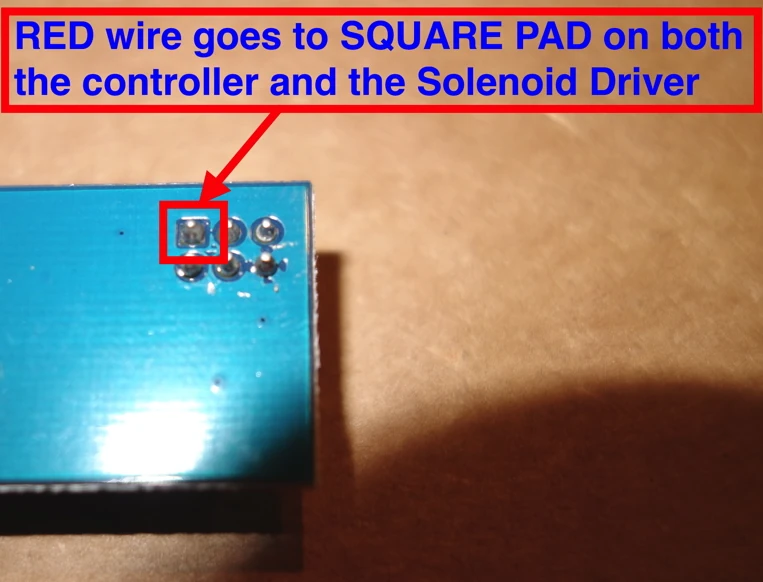
Warning: you may destroy your controller, solenoid driver, and/or solenoid by not following the solenoid driver instructions as well as the other instructions in the manual at modelfkeyboards.com/manual Most important is to match the square on both sides of the ribbon cable connector, so that you connect the squares (voltage line) to each other. The position is different from what is pictured online, from other xwhatsit controllers, and from the photo below. If you install the cable the wrong way you will destroy your equipment. If unsure, do not connect it! For the solenoid drivers: see the images below for the general installation procedure of solenoid drivers inside Brand New Model F Keyboards. The solenoid driver you receive will be either the xwhatsit original design solenoid driver or the version updated by forum member pandrew. Both are confirmed working fine with my solenoids and with the IBM original solenoids.



Spare controller
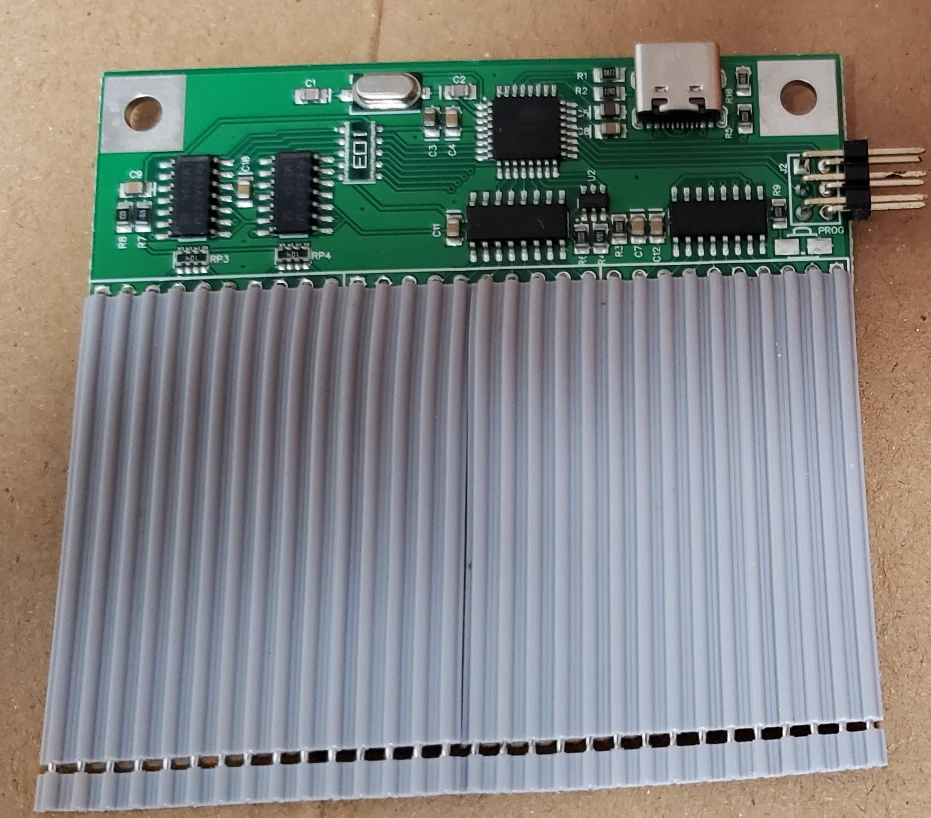
Spare controllers are one of the most popular extras. The controllers contain all of the custom electronics in the keyboard, so if the keyboard stops working long after the project has shut down and spare parts are no longer available, you can switch it out with the spare so your keyboard will continue working. No need to pick the controller; you’ll get the one that works with your keyboard unless you specify otherwise.
Pick "Leyden Jar" if you have a B122, B104, or F122. Pick "xwhatsit USB-C" if you have any other new Model F or Beam Spring keyboard.
To choose the correct option that you need, please see below. Note: All controllers offered here have USB-C! This is the only place to purchase all of these controllers as no one else manufactures them. When on the keyboard configurator page, the correct controller option compatible with your keyboard will be the only available choice.
Controller models available for the new production keyboards: There are two main offerings: xwhatsit USB-C and the Leyden Jar controller.
xwhatsit USB-C is used for many new Model F and new Beam Spring keyboards, other than the models below which use the Leyden Jar controller. All new F and Beam keyboards use these controllers; none of them use the controllers with the blue card edge connectors (those are only used with some IBM originals).
Leyden Jar controllers is for the F122, B122, and B104 because their capacitive PCBs are 18 column designs (support is planned for all other models as well, so you can order a spare Leyden Jar controller for futureproofing). This is an open source RP2040-based controller that you can also use to make your own keyboard.
Both controllers have the same usability and real-world performance, though the Leyden Jar is the latest and greatest, with support for 18 columns instead of 16 and other improvements. To be honest you won't notice much of a difference in normal usage so don't worry about getting one versus the other.
Some quick notes on flashing firmware: you must follow the steps in the manual to flash firmware. Spare controllers not sold inside a keyboard do not come pre-flashed; they will not be detected on the computer without following the steps in the manual so you might think they are broken when in fact they just need to be set up. While all of these keyboards work fine with Windows 11 among many other operating systems including Mac and Linux, due to increased security on Windows 11, for flashing Atmega controllers (i.e. all controllers except the Leyden Jar) you may need to use a computer running another operating system such as Windows 10, or try going to Windows Security > Core isolation and toggle “Memory integrity” OFF, then restart the computer, though this is not a confirmed fix as of now. I've had no issues flashing on my copy of Windows 11. Free programs like Rufus allow you to make a “Windows To Go” Windows 10 USB memory key using a freely downloaded trial iso of Windows 10, which will allow flashing. If you refuse to use something other than Windows 11 and you cannot change the aforementioned setting, you will be unable to flash firmware which may be required to use the controller and fix bugs and other vulnerabilities.
I have an original Model F. Should I replace the controller? For models that can use Soarer’s Converter, I do not recommend replacing the original controller unless it does not work reliably. Soarer’s Teensy/Pro Micro 5V ATMEGA32U4-based converter (XT, AT, F122, Unsaver, etc.) plugs into the original controller. Removing the original controller is not a good idea as the traces are at risk of damage during the desoldering process and it is completely unnecessary for the F122 which has a reliable original controller. Instead, just order the aforementioned Pro Micro and follow the setup instructions. For the 4704 style models (F62 Kishsaver, F77, F104, F50), I recommend replacing the controller with the latest and newest 4704 USB-C controller. Just pick the 4704 option. The main benefits of the new controllers are the USB-C connection and the ability to replace the pro micro brains of the controller with another one in case it fails, instead of having to replace the entire controller. They are two separate parts that you would solder together using the included header pins. You also get the benefits of the new QMK firmware (binning, autocalibration) with the new board. Only if you want to use a solenoid, if your original IBM board has failed, or if you want to replace it, I recommend getting the right controller for your keyboard. Here are some helpful Soarer’s Converter files (provided AS IS, no support offered, use at your own risk) that I gathered from various sources.
Which beam spring controller to order for your original IBM keyboard:
Displaywriter beam spring controller (if you have a displaywriter keyboard – Google to confirm if you are not sure)
Beamspring USB-C (for IBM Models) – for various IBM beam spring keyboards except the non-displaywriter beam spring controller – examples include but are not limited to IBM 3278 Beam Spring Keyboard, 5251, 3279, 3276, and 4978
Some beam spring keyboards (3277, 3741) have a non-detachable controller – you may need to order a replacement capacitive PCB as well (I do not offer these)
5253/5254: Note that no controllers are compatible with the 5253/5254 which appear to resemble displaywriters but use a nonstandard 5 rows and 23 columns. No known controller supports this output; you would have to modify the open source xwhatsit beamspring controller design and keymap in the firmware.
What to order if you have an original IBM F122 / F104 Unsaver / PC AT / 3178 Blue Switch Keyboard:
F122/Unsaver/3178/AT Controller (note: this pandrew controller includes the USB-C Pro Micro. You have to solder the pro micro to the controller): Solenoid Driver, Solenoid, USB-C cable
What to order if you have an original IBM F107 / F77 Unsaver / F62 Kishsaver / F50 Keyboard:
4704 Controller (note: this pandrew controller includes the USB-C Pro Micro. You have to solder the pro micro to the controller)
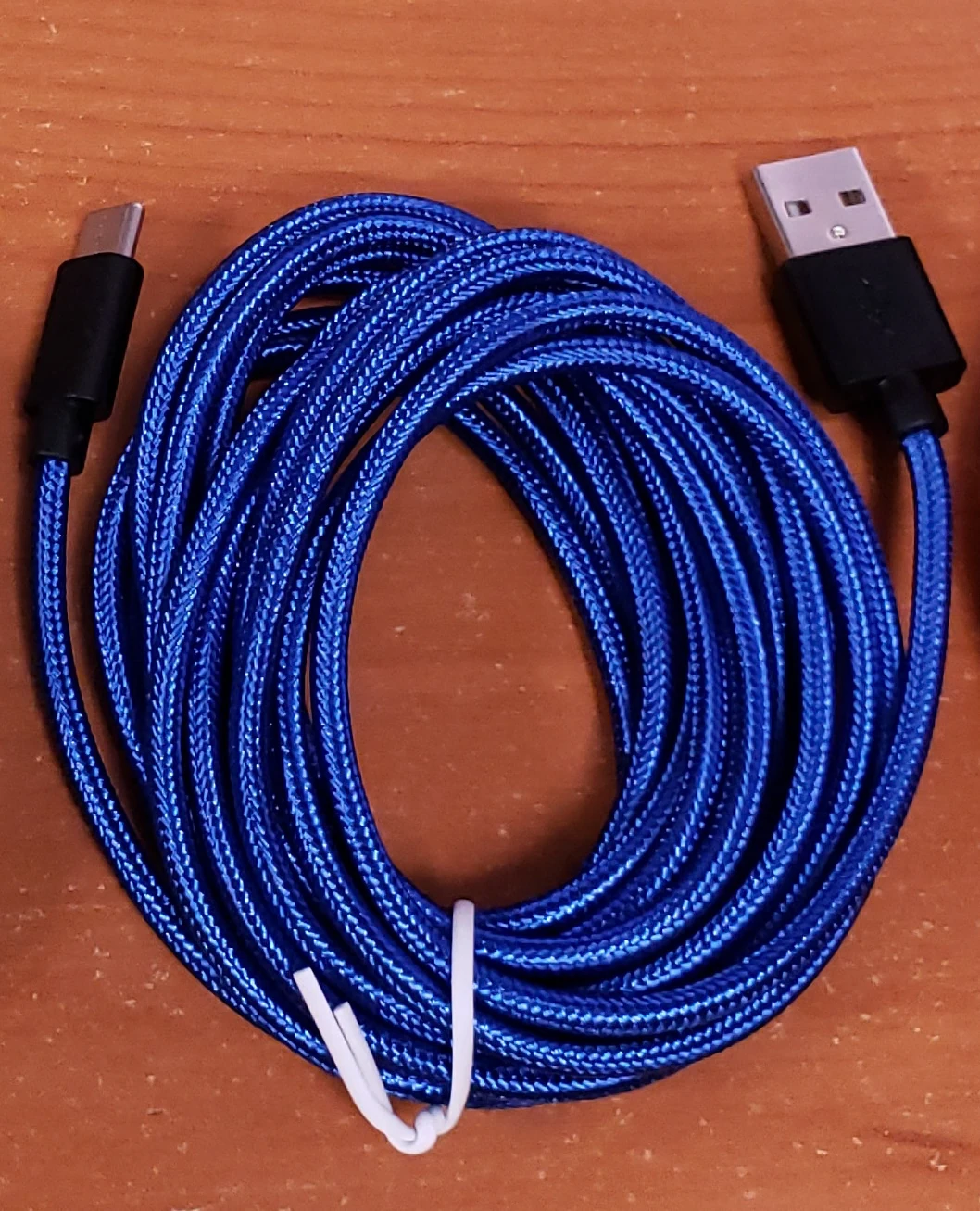
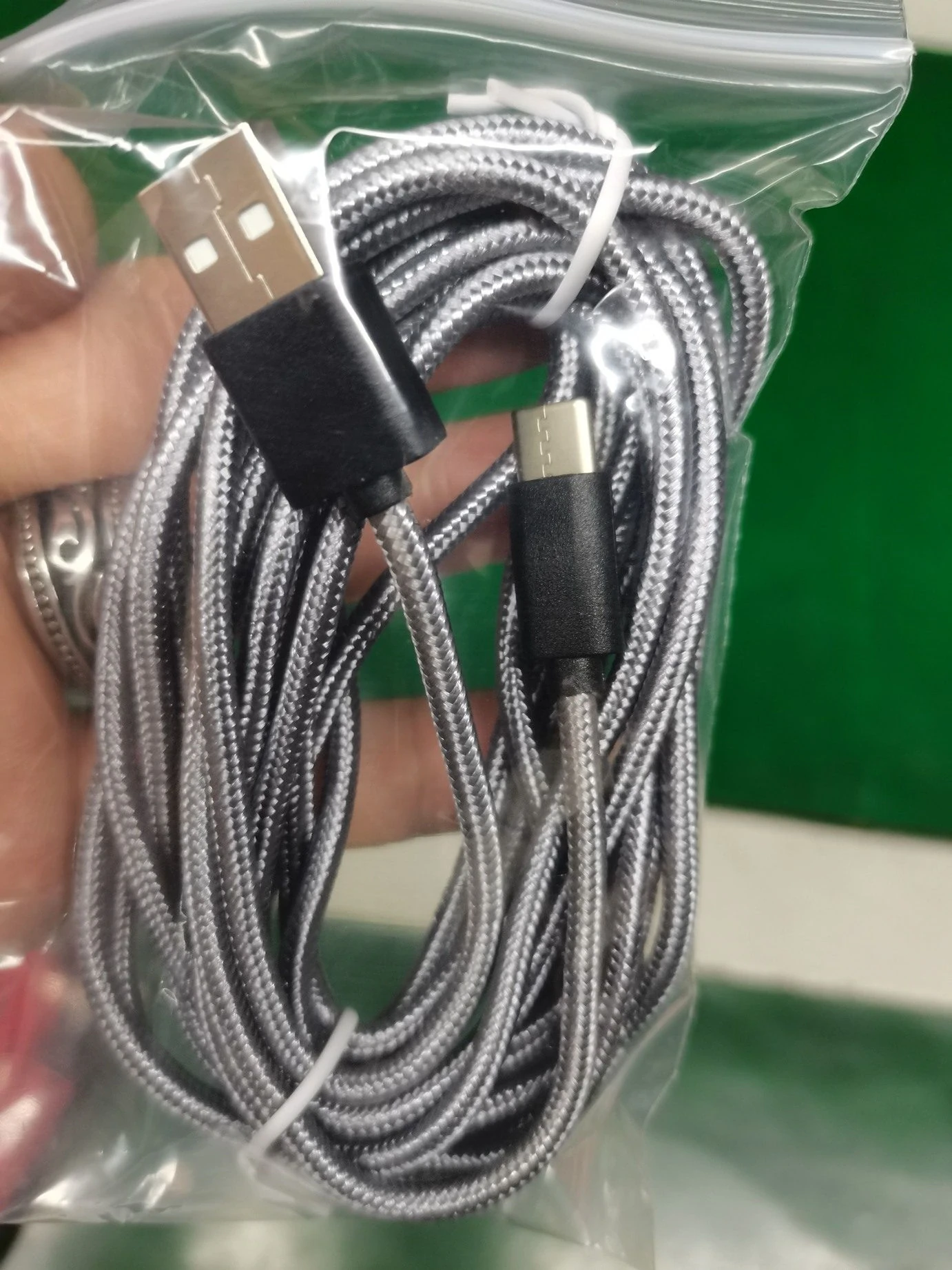
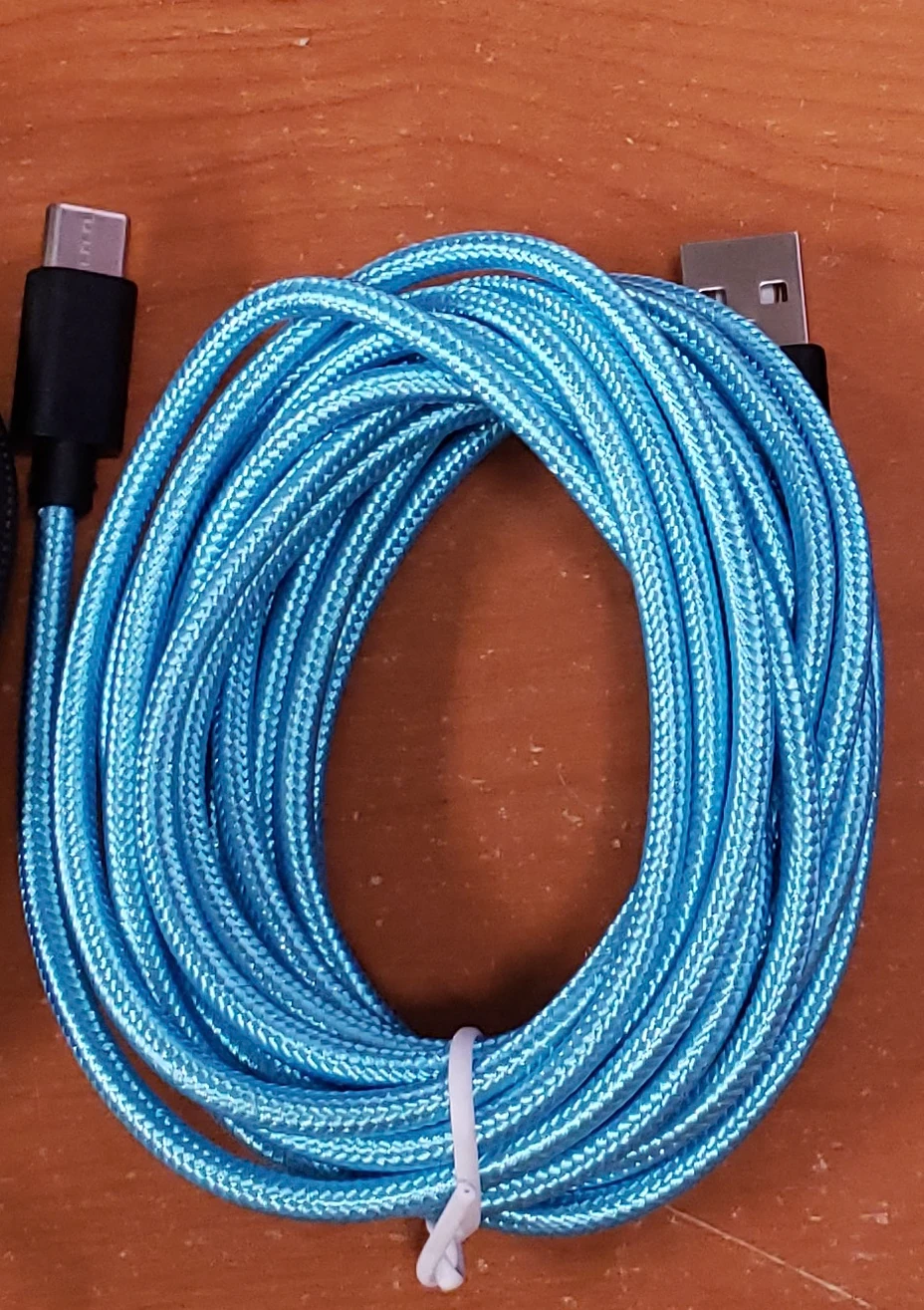
USB cables: Model F custom USB cables are not included – please order one in the shop.
Important terms: Please note that for all PCBs and controllers that specifications and functionality may change over time, so I cannot guarantee compatibility or availability of each feature on these products. Product hardware and firmware revisions may change or be updated in the future, so your PCB may not match exactly what is pictured. The ribbon cable is not pre-soldered to the controller as depicted in some photos. Please note that you have to read the manual and head over to the geekhack mechanical keyboard forum for support as no one on one technical support is offered. In addition to reviewing the manual on this web site, please also review xwhatsit’s original instructions here: https://static.wongcornall.com/ibm-capsense-usb/
A note on USB-C: the USB-C standard allows for extra movement in the connector compared with other USB receptacles like USB-B. For original IBM keyboards, ensure that the USB cable is internally strain relieved so that pulling on the cable will in no way cause cable movement on the other side of the strain relief. By ordering a controller you agree to accept this extra movement and the need for strain relief to ensure a reliable connection. In other words, you must expect that the controller may disconnect if the USB cable is pulled while connected to the controller’s USB-C connector, if not properly strain relieved. I have found that gently squeezing the connector with your fingers to compress the metal USB-C connector housing helps reduce the normal looseness.
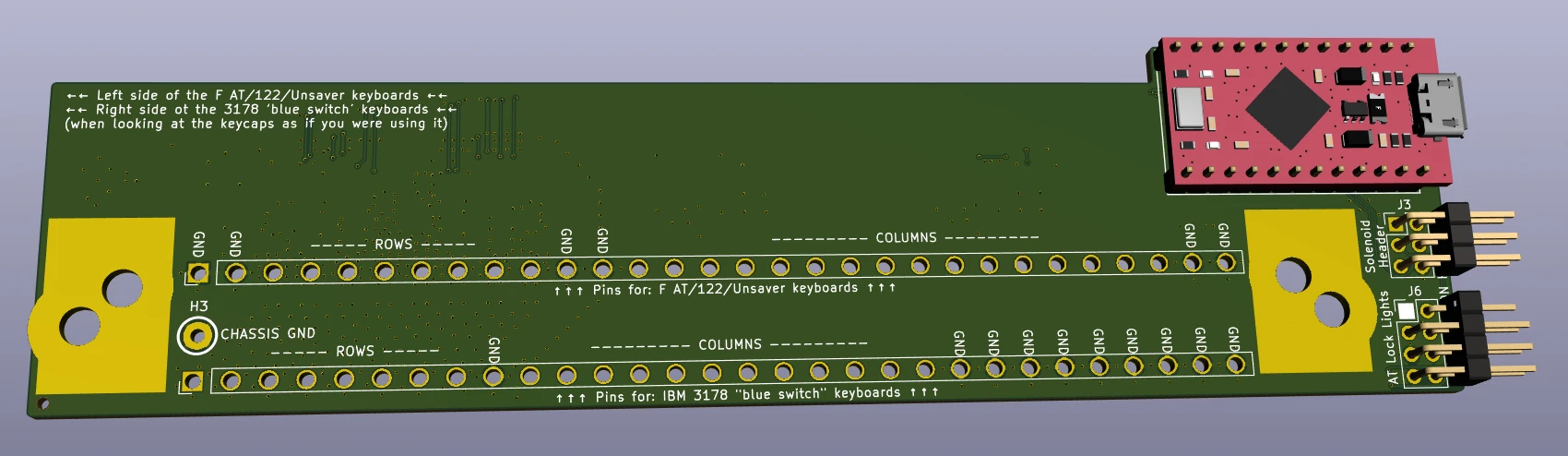
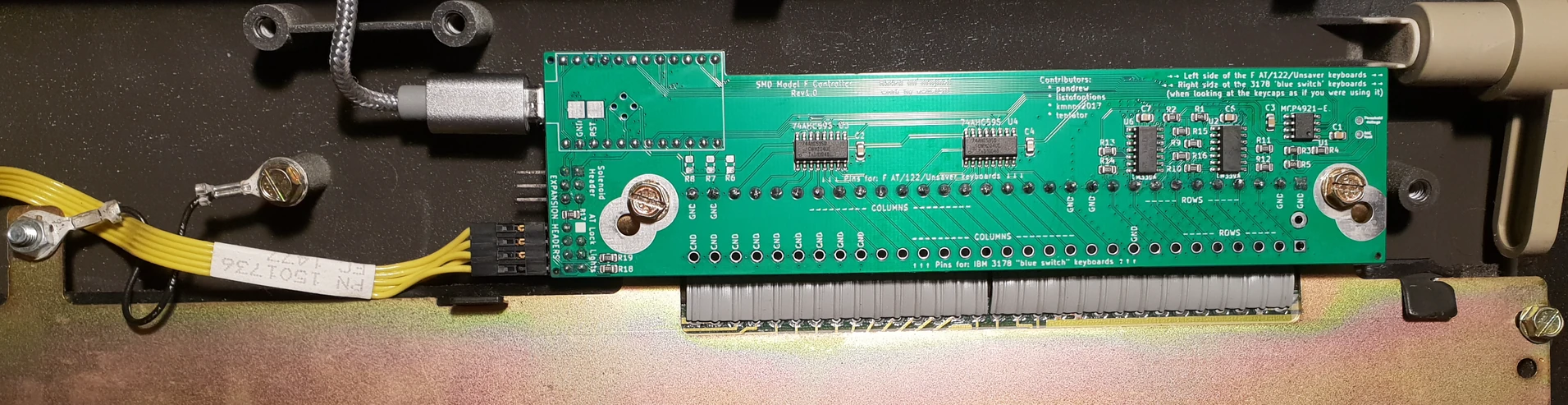
For the pandrew controllers for original IBM keyboards: be sure to solder the Pro Micro controller on the correct side! It always goes on the side without the chips and other components. The pandrew controllers are always installed so that the factory assembled components are visible when viewing the bottom case as shown below; in other words they should be placed so that when you are looking at the keyboard in its normal position, the controllers should be oriented as per the first two images below. The third image below shows the keyboard upside down, with the components side visible. Images credit: pandrew



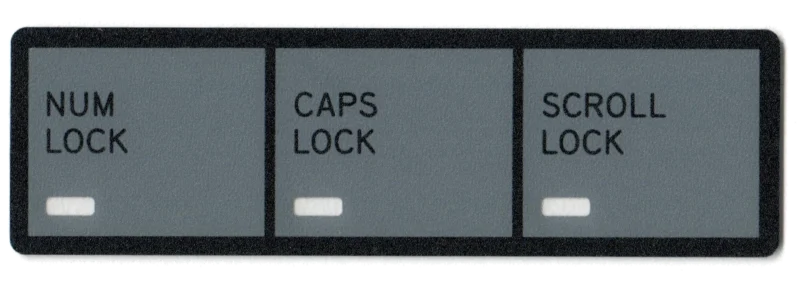
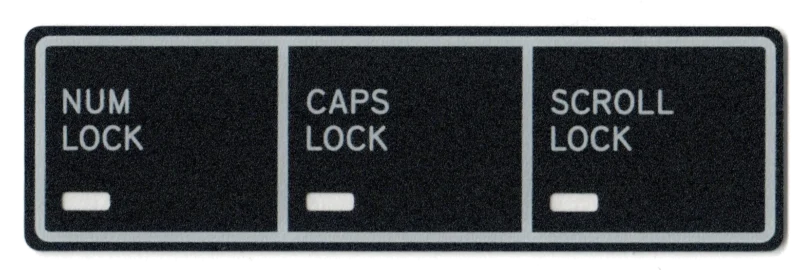



B104 Kit: has some cosmetic defects. You assemble it and solder the through hole header pins to attach the controller to the large capacitive PCB. The controller is pre-assembled and pre-soldered. Modules are preassembled.
One year Limited Warranty included for all New Model F and Beam Spring keyboards
Shipping Rates — US: Free. Canada: $48.92. Rest of World: $74.69. Non-Contiguous US: $25. Rates (if a keyboard is not shipping): US: $9.99. International: email me for a shipping quote.
Beam Spring Round 1 B104 Keyboard
$499.99