
***If you have a new shipping address please do email me to let me know your order numbers and the new address. Check your order email and our email communications (if applicable) to make sure the latest address I have on file for you is the correct one.
(As a brief update, the container ship arrived a couple weeks ago and I have been busy mailing out lots of keyboards and will continue to go through the backlog over the coming months – sorry I cannot provide estimates for any particular order in the queue as noted before; please see the below post for additional details. Since I ordered a bunch of extra keyboards, there is still time to customize your Brand New Model F Keyboard and add on accessories like the First Aid Kit for future repairs, the new solenoid driver and extra hefty solenoid, the transparent relegendable keycaps just made from new molds, extra key sets and USB cables, etc.)
Is anyone up for helping move the Model F QMK/Via/Vial project to the new Raspberry Pi RP2040 chip over the coming weeks? Recently the ATMEGA chips have become nearly impossible to find in quantity due to the chip shortage, which means it’s probably time to switch over to the RP2040 for the capacitive keyboard controllers. After it is up and running I would like to secure the RP2040 chips soon before they may run out too, so that the final Model F round and beam spring second round will not be delayed.
It seems like QMK support is in progress but not yet completed for the RP2040, and there are other projects like KMK which seem to work with the RP2040. The question is, is it better to go with KMK? How stable is it? It may take a while for QMK RP2040 support to be ready. Some recent related links:
https://golem.hu/guide/kmk-firmware/
https://www.reddit.com/r/MechanicalKeyboards/comments/sr65kd/custom_tkl_keyboard_pcb_i_have_been_designing_if/
https://github.com/qmk/qmk_firmware/pull/14877
https://github.com/KarlK90/qmk_firmware/tree/feature/raspberry-pi-rp2040-support
https://github.com/KarlK90/qmk_firmware/blob/feature/raspberry-pi-rp2040-support/docs/compatible_microcontrollers.md
https://github.com/qmk/qmk_firmware/issues/11649
https://github.com/pimoroni/pmk-circuitpython
https://www.reddit.com/r/olkb/comments/l1yr3j/qmk_support_for_the_pico/
https://github.com/vladantrhlik/VT-40
https://www.reddit.com/r/MechanicalKeyboards/comments/q7yeo0/custom_40_powered_by_kmk_firmware/
https://github.com/KMKfw/kmk_firmware
What would it take to get the Model F firmware working on the RP2040 chip? Would the xwhatsit wcass controller require an updated design for the RP2040 to work? Any help for this project would be appreciated.
Please spread the word
Everyone please do let others know about the project if you don’t mind. I’m hoping the factory can make as many of these keyboards as possible. My thinking is that a lot more folks would be interested in these great old keyboards if they only knew they existed and spent a little time reading up on them and watching some videos on YouTube.
Industrial SSK 12 key sets and international key sets arrive
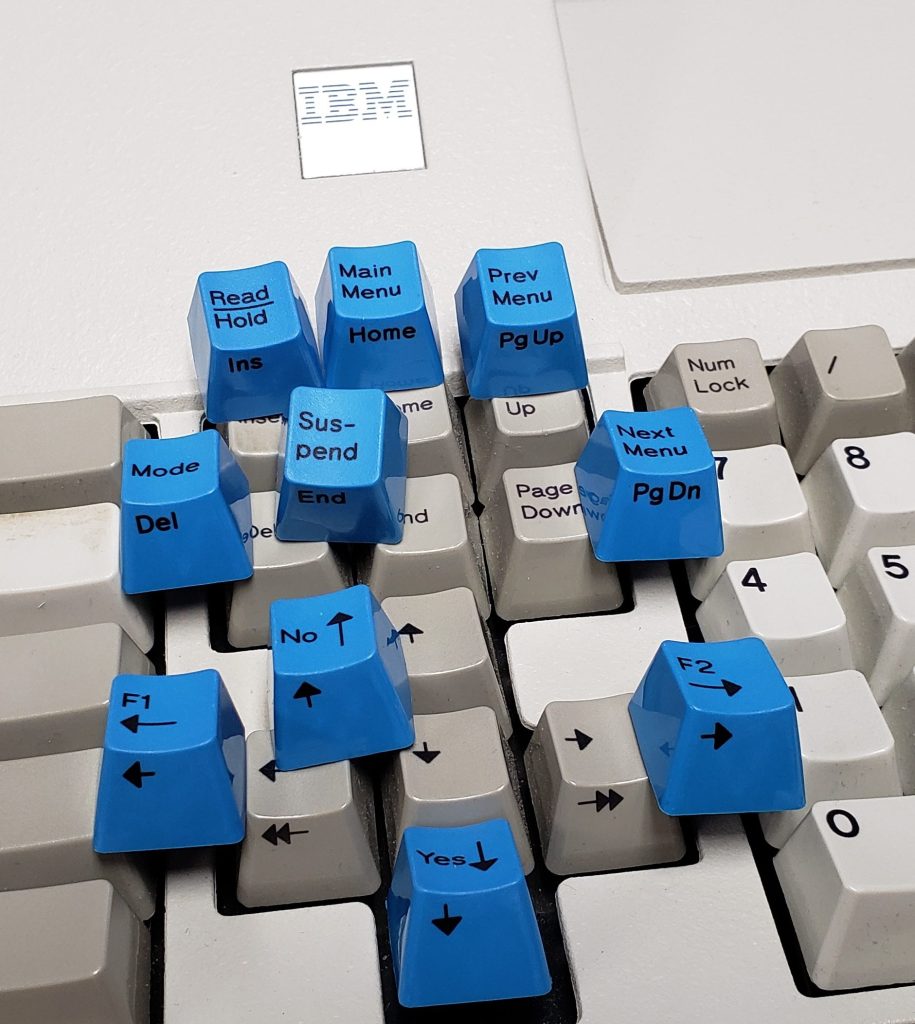
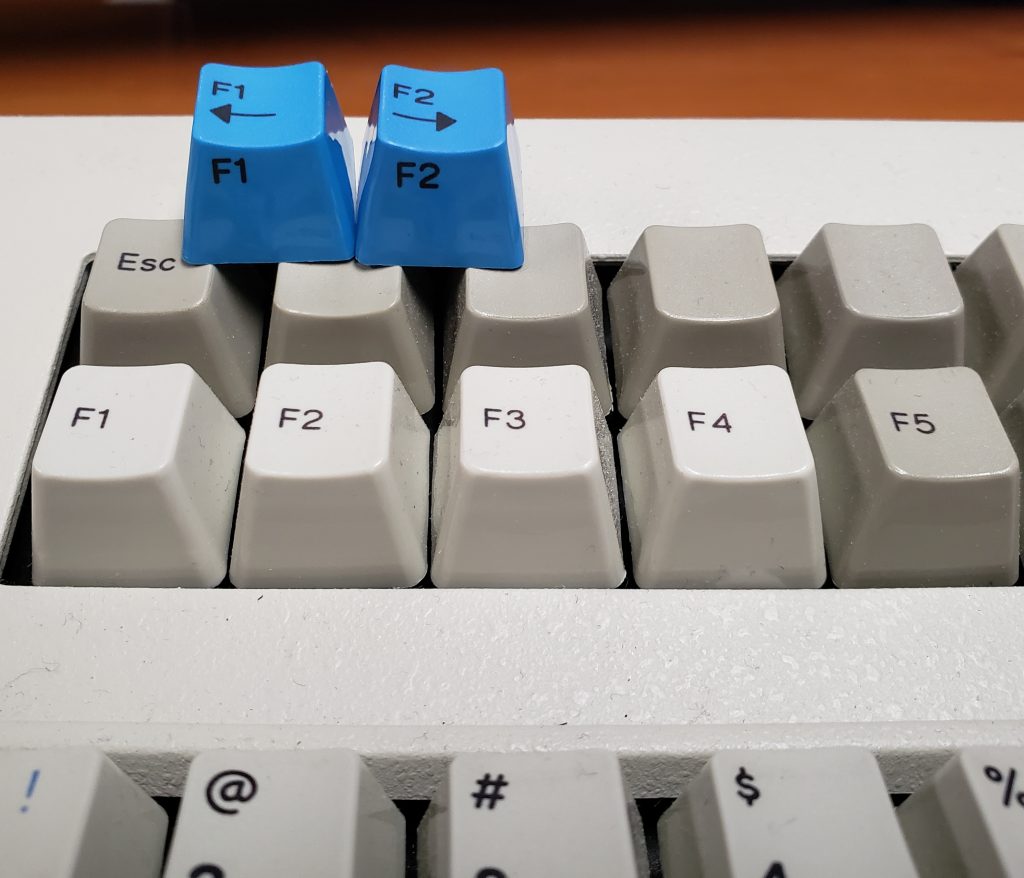
This week a bunch of the remaining key sets arrived by express mail from the factory, including the Industrial SSK 12 key sets, many of the remaining international sets (Swedish-Finnish, etc.), and some of the Extra Keys. Another air shipment batch over the coming weeks should have the remaining dye sublimated keys we have been waiting on.
The Industrial SSK 12 Key sets look great – I would say they are even an upgrade over the IBM/Lexmark Model M originals. As always please disregard the colors (cell phone photos). I am glad the factory focused extra effort on making sure these sets look as good as they do, even though this resulted in a delay for these keys. The Front Printing was by far the most difficult part of the dye sublimation and it took more than one year to get it right.
Beam spring project update
Check out the discussion and proposed designs here: https://deskthority.net/viewtopic.php?f=50&t=26174&p=501029#p501029
Updated firmware to fix a bug with solenoids
https://www.modelfkeyboards.com/wp-content/uploads/2020/07/QMK-layout-files.zip
This firmware is only required if your keyboard shipped in the past month and if you have a solenoid. Previously there was a bug that was preventing solenoids from operating but the latest firmware in the above link (also linked to in the manual) fixes this issue. Follow the written and video instructions in the manual for a step by step guide.
Black pad printed keys update
I am working with a factory that is still looking into the pad printing. As a reminder please sign up on the Google form below if you want to reserve your spot to get a black pad printed set. Given all the setup costs for each production batch I may only produce one batch of a few hundred sets.
https://deskthority.net/viewtopic.php?p=498535&sid=96cea386d8e9b9841ade1506b1072907#p498535
500+ photos of my IBM Keyboards
Someone recently requested to use some of my IBM keyboard photos for their web site, with attribution.
To share this collection all in one place with everyone, below is my album of 500+ photos of my IBM keyboard collection, available on Flickr in full resolution.
Please note that almost all of these keyboards are no longer in my collection so I have nothing available for sale any more.
Many were taken with Nikon DSLR cameras. IBM Model M, IBM Model F, and IBM beam spring keyboards, including NOS keyboards, NOS IBM XT keyboard interior only, 1390131 retail packaging including power cord for the chassis and booklets, M13, Industrial SSK, 101-key Model M 1390401, 4704 F50 / F77 / F107, 1392980, F122, F104 Unsaver, terminal, and many others. The files are not named by keyboard model, alas.
https://www.flickr.com/photos/modelfkeyboards/albums/72177720297401122
Cryptocurrency update
As requested by a number of folks, I have just added a beta option to make payments for orders through cryptocurrency by Bitpay, which allows payment through a number of wallets and cryptocurrencies (but not all of them are supported). Please do share your feedback on this feature as it may have bugs.
Here’s an interesting Model M key set someone was discussing with me recently (this one will not be made as part of the new sets unfortunately):
Model M keyboards that came with coordinate measuring machines (CMMs)
“As for one of the objects (the intercom), this is one of his comments; “It was used for an old destination control system at an IBM office with banks of elevators. Instead of pressing up and down arrows, getting in and then pressing the button in the elevator, you would press the button and tell a dispatcher which floor. They would then tell you which elevator to use, and you get in and don’t have to press anything. They would know what floor everyone wanted to go to, and would optimize it so that every elevator would stop at the least amount of floors, grouping people together as efficiently as possible.””